


So you would like to contribute DVD captures to DVDBeaver...
How to setup PowerDVD 4.0 (or XP) and edit the captures by Ole Kofoed (edit by Gary Tooze)
Email Gary for questions!
SETUP POWERDVD 4.0 (aka POWERDVD XP):
Chose "Configuration":
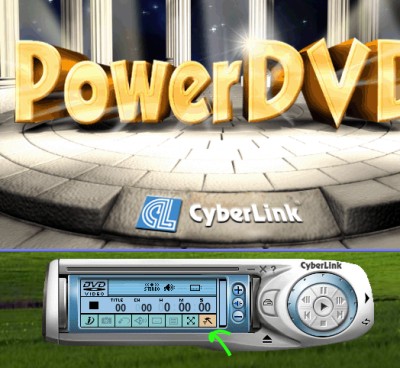
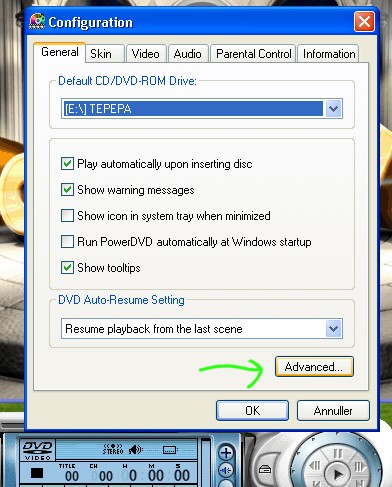
Goto "Advanced":
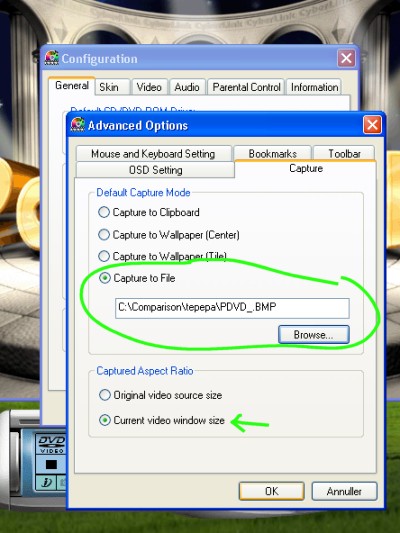
Select "Capture to File" and select which folder you want to save the
captures. Select "Current video window size":
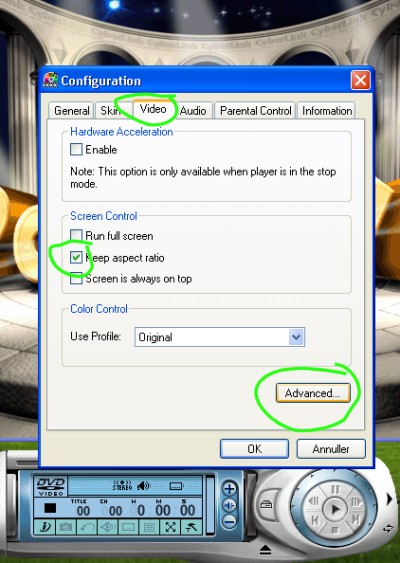
Goto Video and select "Keep aspect ratio", then move on to "Advanced":
In Video Mode select "Force Weave" and "Don't change resolution"
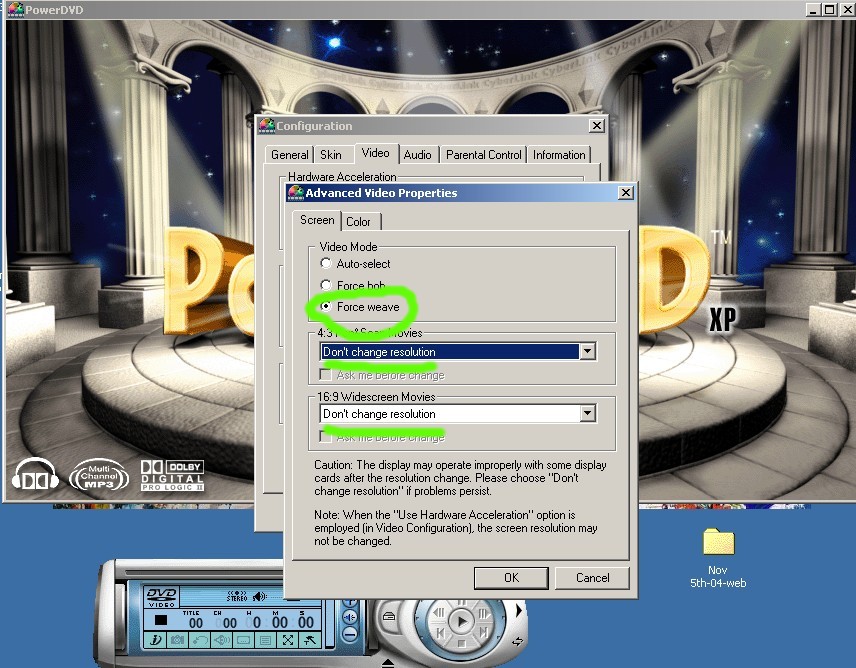
UNLESS You See "Combing" in a horizontal pan... ex:
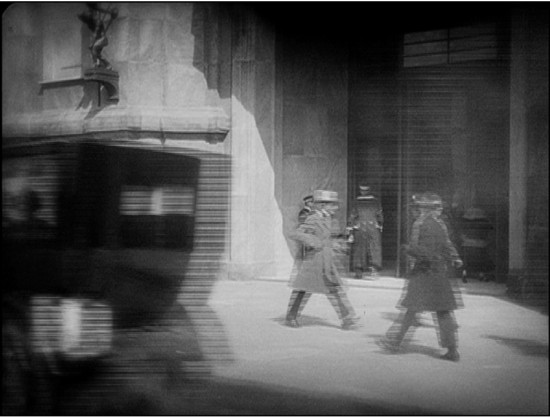
Then please revert your setting (for that DVD only) to "Auto Select":
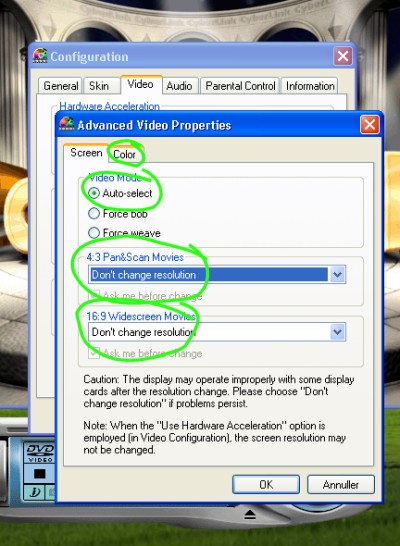
- moving on to "Color": Everything should be set at "0" - press "OK" to save the configuration:
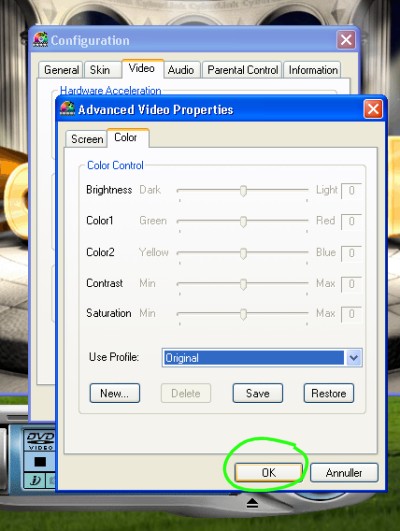
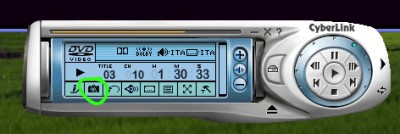
You are now ready to capture:
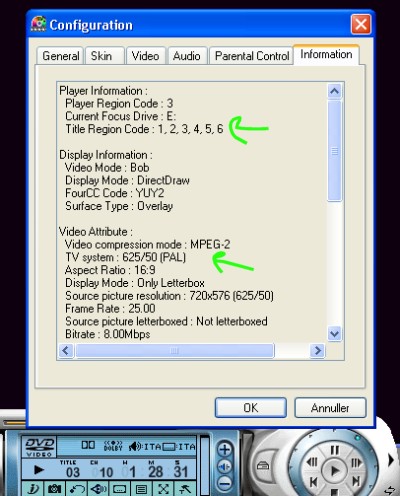
When the DVD is running you can get details about the disc:
NOTE: But if you are running RegionFreeDVD.exe or DVD Genie Software the region code will always show as 1,2,34,5,6.
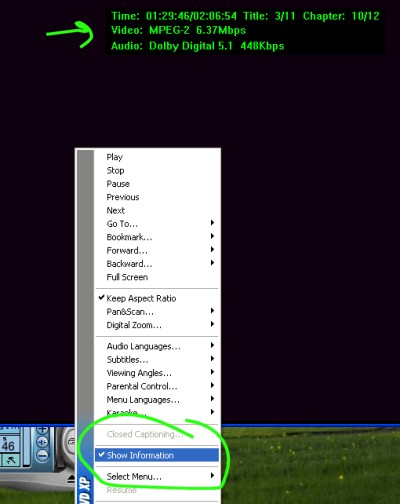
And by choosing "Show Information" (Right mouse) about the
soundtrack/running time:
EDIT YOUR CAPTURES with Paint Shop Pro:
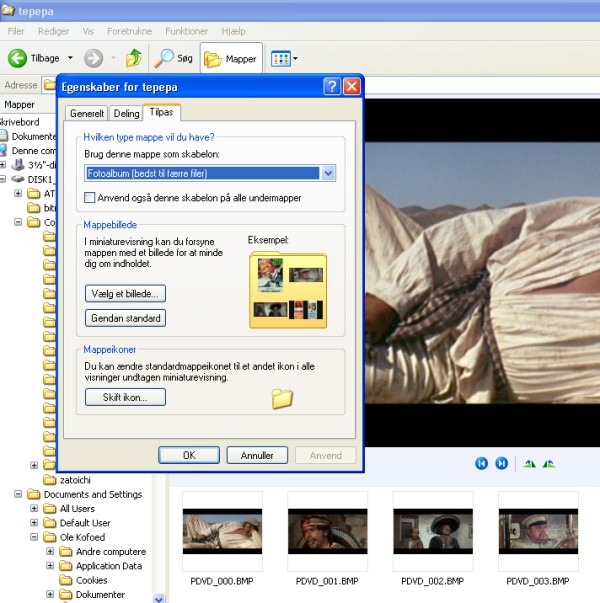
Start Explorer and goto the folder where the captures was saved, you can
change the atributes of the the folder to "Photoalbum" so you can see the
captures:
Choose Open a file with Paint Shop Pro and PSP starts:
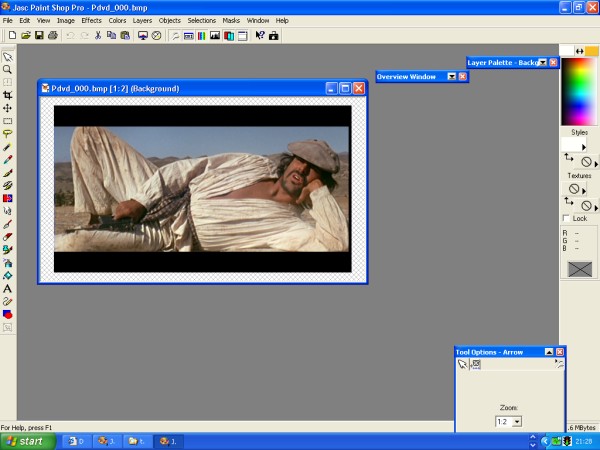
Choose the cropping tool at the left and frame the picture:
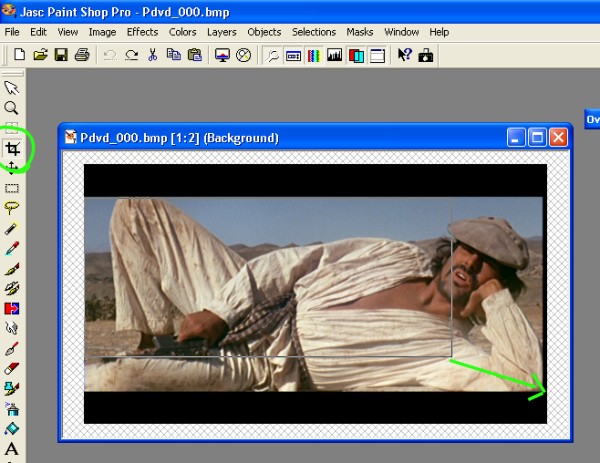
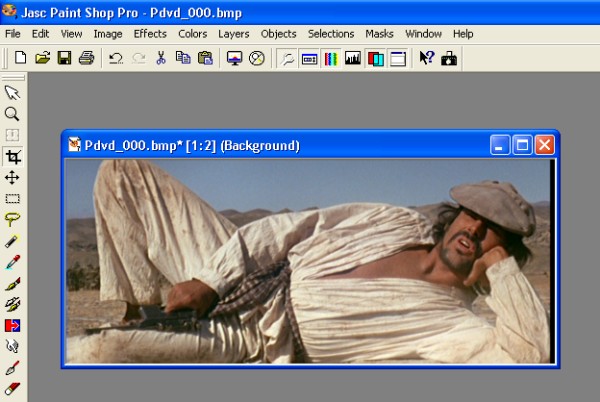
Doubleclick the left mousebotton and the black bars is gone :) :
Time to resize the picture:
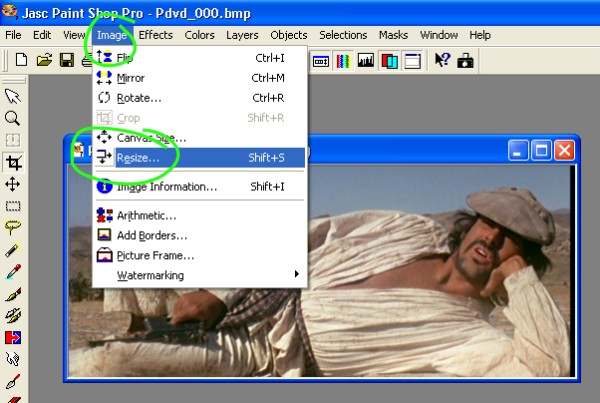
Choose the width you want and make sure the "Maintain aspect ratio" is on"
- press "OK":
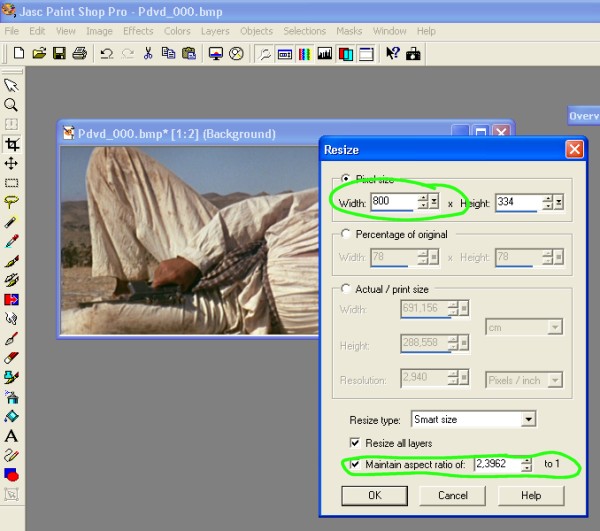
The picture is now resize and is ready to be saved:
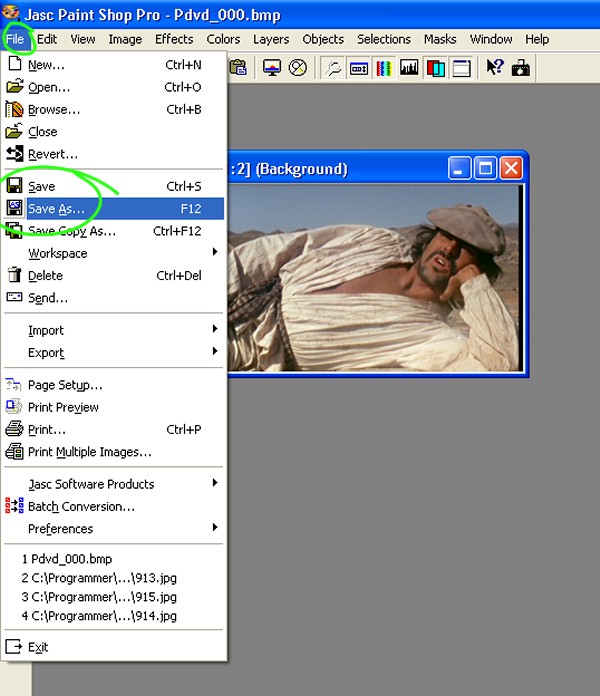
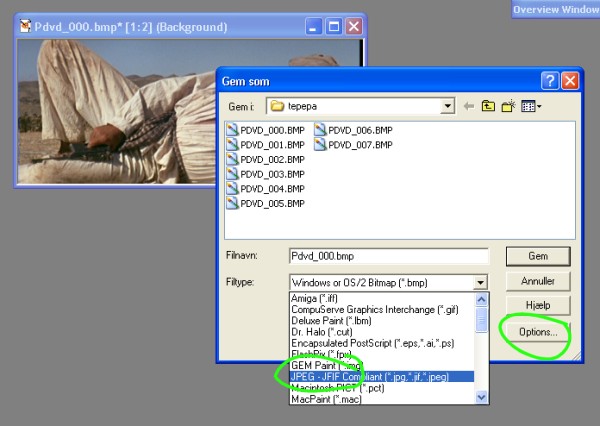
Choose a name and JPEG as "Filetype", then goto "Options":
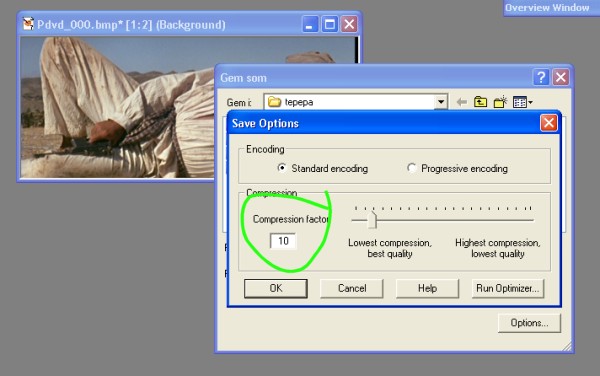
In "Options" you select how much the picture should be compressed, at
DVD-Beaver we uses 10%:
The captures is now ready to be used at DVDBeaver :)
BITRATE-VIEWER (available HERE):
When the DVD is in the drive start BitRateViewer and the program will scan
the DVD. Choose 3XZoom and it should be ready. Copy the screen by pressing the
"Print Screen" button on your keyboard and the screencapture is now in your
clipboard. Paste it to Paint Shop Pro and edit.

Email Gary with any questions!


