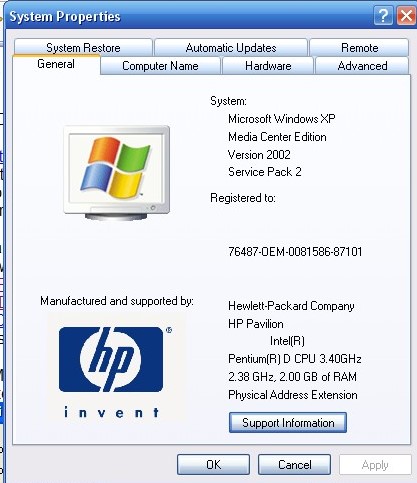
Gigabyte Motherboard GA-MA78GM-S2H
AMD Athlon 64 X2 AM2 4800+
Kingston Value RAM DDRII 2GB
Pioneer BDC-202BK Blu-ray Drive
Mine works with:
Software:
Windows XP
Media Player Classic
AnyDVDHD
PowerDVD 8 Ultra
I'm not sure if PowerDVD is needed, but there might be some codecs that are required in Media Player Classic...
Install Media Player Classic
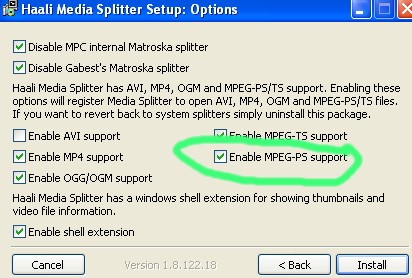
To make H.264/AC3 M2TS files playable in Media Player Classic download Haali Media Splitter and during the install tick the box for MPEG-PS support.
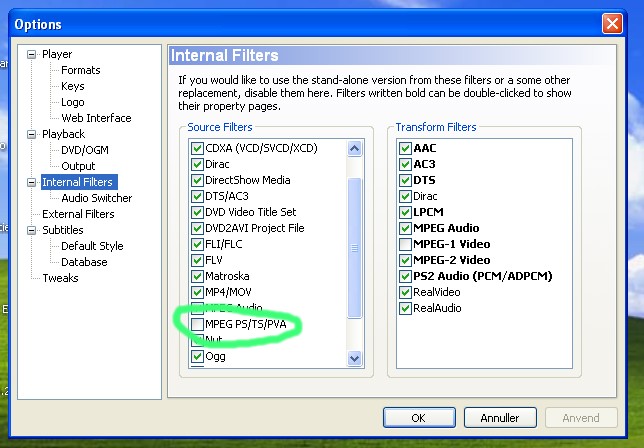
In Media Player Classic click View->Options->Internal filters and
under source filters un-tick MPEG-PS/TS/PVA support
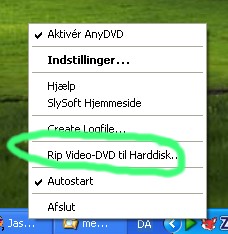
Rip Blu-ray with AnyDVD (the HD/Blu-ray version may be
needed):
Open file in Media Player Classic: File->Open File (Choose All Files (*.*))
The files is located in BDMV->Stream
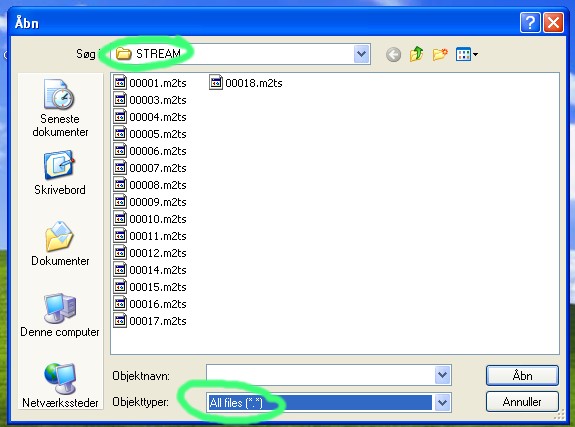
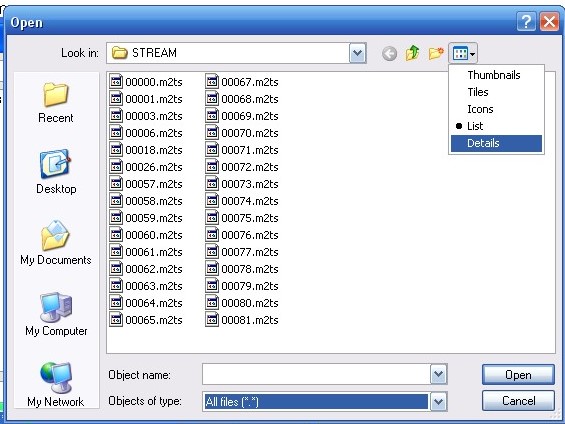
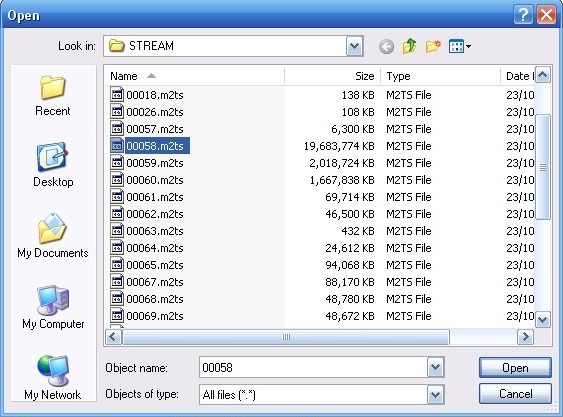
Choose the largest file as the probable film. The lesser files are often extras
To capture use File->Save Image
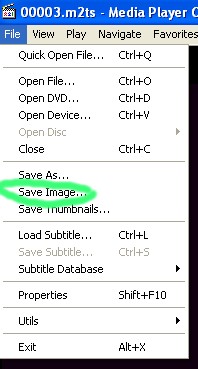
You may get a warning that the current settings cannot capture an image:

This may depend on your video card. You can change the settings. I recommend the following for best quality image (but I am still testing):
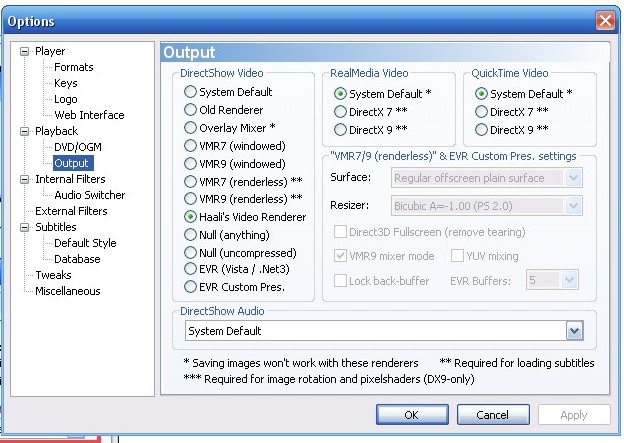
FOR MAC
Let me tell you a simple way of getting the CAPS, not playing the whole BD. First, you have to install windows or use some PC, RIP with ANYDVD HD then you can just grab the movie mts file and play it with a "OS X" VLC INTEL Night Builds:
The image will probably look better than most Windows softs because VLC for Mac uses the improved H.264 processing and acceleration. You can also download Perian QT Codec Kit and try to play it with Quicktime. Mac Sure you also install the Toast Titanium BD/HDDVD Plugin. It is PAID! You can also play the MTS with the Toast Player, but i don't like it. But the plugin improves compatibility and also allows some extra sets for export.
Or you can just install all the codecs I specified (below) to you for windows and play through VLC on Windows itself and take the grabs from it. If you install all those codecs you will be able to play the DTS-HD mixes, the Dolby TrueHD mixes and even use a subtitle you downloaded from the internet while playing the Blu-ray.
You NEED A INTEL MAC - iMovieHD is a recommended install! And having Final Cut Studio (my case) Install may help as well, since it comes with more codecs to work with AVCHD. But i really don't know if it helps much, and i mostly use VLC anyway.
You can also use some conversion tools: http://www.moviesmac.com/video-converter-mac/
But they are pretty stupid, you should be able to do well with QT and VLC. Make sure you have a lot of free space 100GB if you are going to use Quicktime for anything.
Anyway, DTS-HD and Dolby True-HD sound in a Mac OS X system is problematic, some times it works with VLC sometimes it don't. So you may stick with playing t through Windows if you want to be sure your DTS-HD sound will play smoothly.
****
I
always use VLC on Windows Vista to play the ripped BDs, but I install a
bunch of codecs. The quality is better than PowerDVD that can also be
used but i am not sure if the quality will be the same, I believe it
won't.
Among the codes I use : CoreAVC Pro / Mainconcept Reference / Ac3Filter
/ DirectVobSub / ffdshow / AviSynth V2.57 / HD DVD decoder
I think that for screenshots alone, AnyDVD HD + VLC + "K-Lite Codec
Pack" (free) will do the job and it is easy. He can also use PowerDVD
7.3 Ultra or a new version and take the screenshots (quality may be
compromised) as well, or just Avisynth to capture the frame and another
player that can be WMV to save the screenshot. But the avisynth may look
like a more troublesome way.